Warning buzzers
Pre-collision warningToyota Safety Sense 2.0
PCS (Pre-Collision System)Pre-Collision System (PCS)
FunctionPCS (Pre-Collision System)
FunctionMulti-information display
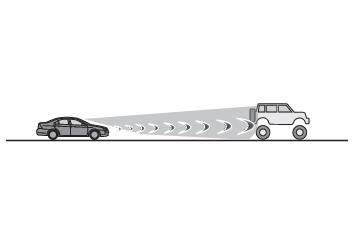
PCS (Pre-Collision System)PCS (Pre-Collision System)The pre-collision system uses a radar sensor and front camera to detect objects (Toyota multi-operation touch overview) in front of the vehicle. When the system determines that the possibility of a frontal
collision with an object is high, a warning operates to urge the driver to take evasive
action and the potential brake pressure is increased to help the driver avoid the
collision. If the system determines that the possibility of a frontal collision with
an object is extremely high, the brakes are automatically applied to help avoid the
collision or help reduce the impact of the collision.The pre-collision system can be disabled/enabled and the warning timing can be changed.
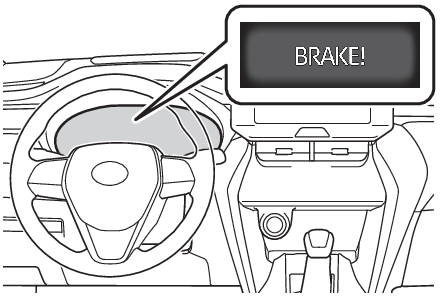
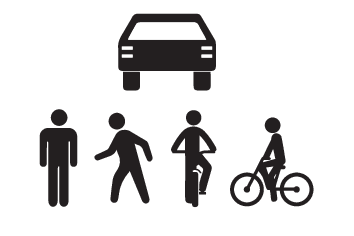
(Changing settings of the pre-collision system)Detectable objectsThe system can detect the following:VehiclesBicyclistsPedestriansSystem functionsPre-collision warningWhen the system determines that the possibility of a frontal collision is high, a
buzzer will sound and a warning message will be displayed on the multi-information
display to urge the driver to take evasive action.Pre-collision brake assistWhen the system determines that the possibility of a frontal collision is high, the
system applies greater braking force in relation to how strongly the brake pedal is
depressed.Pre-collision brakingIf the system determines that the possibility of a frontal collision is extremely
high, the brakes are automatically applied to help avoid the collision or reduce the
impact of the collision.Warning:Limitations of the pre-collision systemThe driver is solely responsible for safe driving. Always drive safely, taking care
to observe your surroundings. Do not use the pre-collision system instead of normal
braking operations under any circumstances. This system will not prevent collisions
or lessen collision damage or injury in every situation. Do not overly rely on this
system. Failure to do so may lead to an accident, resulting in death or serious injury.Although this system is designed to help avoid a collision or help reduce the impact
of the collision, its effectiveness may change according to various conditions, therefore
the system may not always be able to achieve the same level of performance. Read the
following conditions carefully. Do not overly rely on this system and always drive
carefully.Conditions under which the system may operate even if there is no possibility of a
collision: Conditions under which the system may operate even if there is no possibility of a
collisionConditions under which the system may not operate properly: Situations in which the system may not operate properlyDo not attempt to test the operation of the pre-collision system yourself.Depending
on the objects used for testing (dummies, cardboard objects imitating detectable objects,
etc.), the system may not operate properly, possibly leading to an accident.Pre-collision brakingWhen the pre-collision braking function is operating, a large amount of braking force
will be applied.If the vehicle is stopped by the operation of the pre-collision braking function,
the pre-collision braking function operation will be canceled after approximately
2 seconds. Depress the brake pedal as necessary.The pre-collision braking function may not operate if certain operations are performed
by the driver. If the accelerator pedal is being depressed strongly or the steering
wheel is being turned, the system may determine that the driver is taking evasive
action and possibly prevent the pre-collision braking function from operating.In some situations, while the pre-collision braking function is operating, operation
of the function may be canceled if the accelerator pedal is depressed strongly or
the steering wheel is turned and the system determines that the driver is taking evasive
action.If the brake pedal is being depressed, the system may determine that the driver is
taking evasive action and possibly delay the operation timing of the pre-collision
braking function.When to disable the pre-collision systemIn the following situations, disable the system, as it may not operate properly, possibly
leading to an accident resulting in death or serious injury:When the vehicle is being towedWhen your vehicle is towing another vehicleWhen transporting the vehicle via truck, boat, train or similar means of transportationWhen the vehicle is raised on a lift with the hybrid system on and the tires are allowed
to rotate freelyWhen inspecting the vehicle using a drum tester such as a chassis dynamometer or speedometer
tester, or when using an on vehicle wheel balancerWhen a strong impact is applied to the front bumper or front grille, due to an accident
or other reasonsIf the vehicle cannot be driven in a stable manner, such as when the vehicle has been
in an accident or is malfunctioningWhen the vehicle is driven in a sporty manner or off-roadWhen the tires are not properly inflatedWhen the tires are very wornWhen tires of a size other than specified are installedWhen tire chains are installedWhen a compact spare tire or an emergency tire puncture repair kit is usedIf equipment (snow plow, etc.) that may obstruct the radar sensor or front camera
is temporarily installed to the vehiclePre-Collision System (PCS)
Enabling/disabling the pre-collision systemPCS (Pre-Collision System)
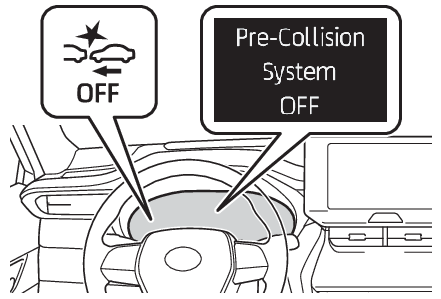
Enabling/disabling the pre-collision systemChanging settings of the pre-collision systemEnabling/disabling the pre-collision systemThe pre-collision system can be enabled/disabled on the
screen (Multi-information display (4.2-inch display) - Settings display, Multi-information display (7-inch display) - Settings display) of the multi-information display.The system is automatically enabled each time the power switch is turned to ON.If the system is disabled, the PCS warning light will turn on and a message will be
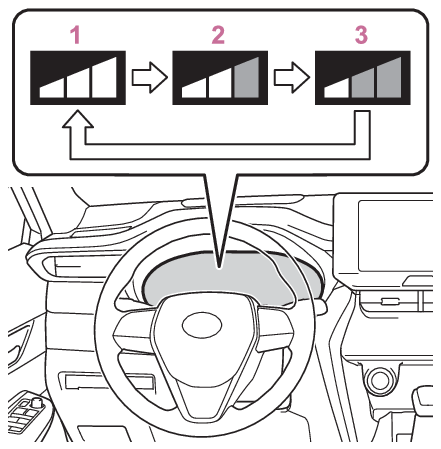
displayed on the multi-information display.Changing the pre-collision warning timingThe pre-collision warning timing can be changed on the
screen (Multi-information display (4.2-inch display) - Settings display, Multi-information display (7-inch display) - Settings display) of the multi-information display.The warning timing setting is retained when the power switch is turned to OFF. However,
if the pre-collision system is disabled and re-enabled, the operation timing will
return to the default setting (middle).EarlyMiddleThis is the default setting.LateNote:Operational conditionsThe pre-collision system is enabled and the system determines that the possibility
of a frontal collision with a detected object is high. Each function is operational
at the following speedPre-collision warning
Detectable objects
Vehicle speed
Relative speed between your vehicle and object
Vehicles
Approx. 7 to 110 mph (10 to 180 km/h)
Approx. 7 to 110 mph (10 to 180 km/h)
Bicyclists and pedestrians
Approx. 7 to 50 mph (10 to 80 km/h)
Approx. 7 to 50 mph (10 to 80 km/h)
Pre-collision brake assist
Detectable objects
Vehicle speed
Relative speed between your vehicle and object
Vehicles
Approx. 20 to 110 mph (30 to 180 km/h)
Approx. 20 to 110 mph (30 to 180 km/h)
Bicyclists and pedestrians
Approx. 20 to 50 mph (30 to 80 km/h)
Approx. 20 to 50 mph (30 to 80 km/h)
Pre-collision braking
Detectable objects
Vehicle speed
Relative speed between your vehicle and object
Vehicles
Approx. 7 to 110 mph (10 to 180 km/h)
Approx. 7 to 110 mph (10 to 180 km/h)
Bicyclists and pedestrians
Approx. 7 to 50 mph (10 to 80 km/h)
Approx. 7 to 50 mph (10 to 80 km/h)
The system may not operate in the following situations:If a 12-volt battery terminal has been disconnected and reconnected and then the vehicle
has not been driven for a certain amount of timeIf the shift lever is in RWhen the VSC OFF indicator is illuminated (only the pre-collision warning function
will be operational)Object detection functionThe system detects objects based on their size, profile, motion, etc. However, an
object may not be detected depending on the surrounding brightness and the motion,
posture, and angle of the detected object, preventing the system from operating properly.
(Situations in which the system may not operate properly) The illustration shows an image of detectable objects.Cancelation of the pre-collision brakingIf either of the following occur while the pre-collision braking function is operating,
it will be canceled:The accelerator pedal is depressed strongly.The steering wheel is turned sharply or abruptly.Conditions under which the system may operate even if there is no possibility of a
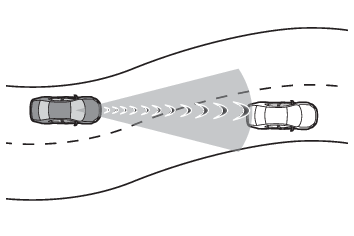
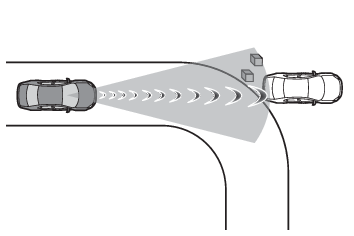
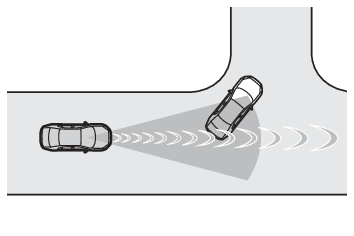
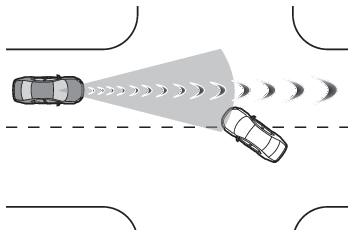
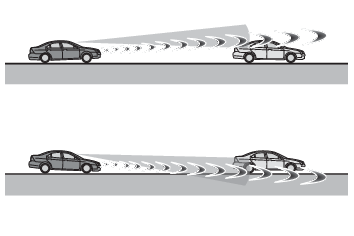
collisionIn some situations such as the following, the system may determine that there is a
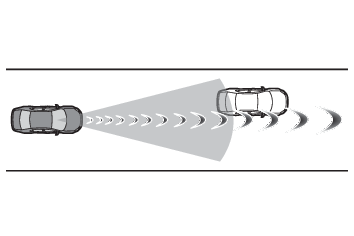
possibility of a frontal collision and operate.When passing a detectable object, etc.When changing lanes while overtaking a detectable object, etc.When approaching a detectable object in an adjacent lane or on the roadside, such
as when changing the course of travel or driving on a winding roadWhen rapidly closing on a detectable object, etc.When approaching objects on the roadside, such as detectable objects, guardrails,
utility poles, trees, or wallsWhen there is a detectable object or other object by the roadside at the entrance
of a curveWhen there are patterns or paint in front of your vehicle that may be mistaken for
a detectable objectWhen the front of your vehicle is hit by water, snow, dust, etc.When overtaking a detectable object that is changing lanes or making a right/left
turnWhen passing a detectable object in an oncoming lane that is stopped to make a right/left
turnWhen a detectable object approaches very close and then stops before entering the
path of your vehicleIf the front of your vehicle is raised or lowered, such as when on an uneven or undulating
road surfaceWhen driving on a road surrounded by a structure, such as in a tunnel or on an iron
bridgeWhen there is a metal object (manhole cover, steel plate, etc.), steps, or a protrusion
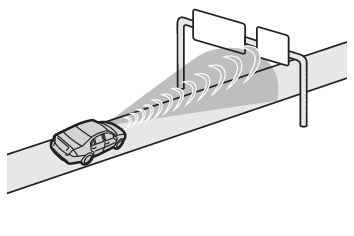
in front of your vehicleWhen passing under an object (road sign, billboard, etc.)When approaching an electric toll gate barrier, parking area barrier, or other barrier
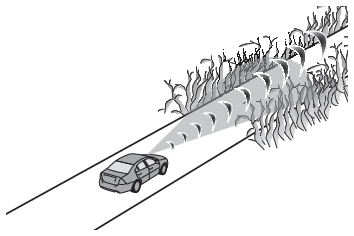
that opens and closesWhen using an automatic car washWhen driving through or under objects that may contact your vehicle, such as thick
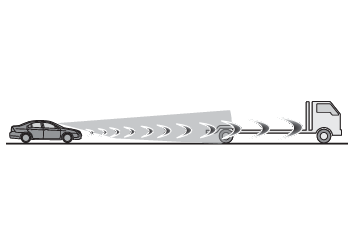
grass, tree branches, or a bannerWhen driving through steam or smokeWhen driving near an object that reflects radio waves, such as a large truck or guardrailWhen driving near a TV tower, broadcasting station, electric power plant, or other
location where strong radio waves or electrical noise may be presentSituations in which the system may not operate properlyIn some situations such as the following, an object may not be detected by the radar
sensor and front camera, preventing the system from operating properly:When a detectable object is approaching your vehicleWhen your vehicle or a detectable object is wobblingIf a detectable object makes an abrupt maneuver (such as sudden swerving, acceleration
or deceleration)When your vehicle approaches a detectable object rapidlyWhen a detectable object is not directly in front of your vehicleWhen a detectable object is near a wall, fence, guardrail, manhole cover, vehicle,
steel plate on the road, etc.When a detectable object is under a structureWhen part of a detectable object is hidden by an object, such as large baggage, an
umbrella, or guardrailWhen multiple detectable objects are close togetherIf the sun or other light is shining directly on a detectable objectWhen a detectable object is a shade of white and looks extremely brightWhen a detectable object appears to be nearly the same color or brightness as its
surroundingsIf a detectable object cuts or suddenly emerges in front of your vehicleWhen the front of your vehicle is hit by water, snow, dust, etc.When a very bright light ahead, such as the sun or the headlights of oncoming traffic,
shines directly into the front cameraWhen approaching the side or front of a vehicle aheadIf a vehicle ahead is a motorcycleIf a vehicle ahead is narrow, such as a personal mobility vehicleIf a preceding vehicle has a small rear end, such as an unloaded truckIf a preceding vehicle has a low rear end, such as a low bed trailerIf a vehicle ahead has extremely high ground clearanceIf a vehicle ahead is carrying a load which protrudes past its rear bumperIf a vehicle ahead is irregularly shaped, such as a tractor or side carIf a vehicle ahead is a child sized bicycle, a bicycle that is carrying a large load,
a bicycle ridden by more than one person, or a uniquely shaped bicycle (bicycle with
a child seat, tandem bicycle, etc.)If a pedestrian/or the riding height of a bicyclist ahead is shorter than approximately
3.2 ft. (1 m) or taller than approximately 6.5 ft. (2 m)If a pedestrian/bicyclist is wearing oversized clothing (a rain coat, long skirt,
etc.), making their silhouette obscureIf a pedestrian is bending forward or squatting or bicyclist is bending forwardIf a pedestrian/bicyclist is moving fastIf a pedestrian is pushing a stroller, wheelchair, bicycle or other vehicleWhen driving in inclement weather such as heavy rain, fog, snow or a sandstormWhen driving through steam or smokeWhen the surrounding area is dim, such as at dawn or dusk, or while at night or in
a tunnel, making a detectable object appear to be nearly the same color as its surroundingsWhen driving in a place where the surrounding brightness changes suddenly, such as
at the entrance or exit of a tunnelAfter the hybrid system has started the vehicle has not been driven for a certain
amount of timeWhile making a left/right turn and for a few seconds after making a left/right turnWhile driving on a curve and for a few seconds after driving on a curveIf your vehicle is skiddingIf the front of the vehicle is raised or loweredIf the wheels are misalignedIf a wiper blade is blocking the front cameraThe vehicle is being driven at extremely high speedsWhen driving on a hillIf the radar sensor or front camera is misalignedIn some situations such as the following, sufficient braking force may not be obtained,
preventing the system from performing properly:If the braking functions cannot operate to their full extent, such as when the brake
parts are extremely cold, extremely hot, or wetIf the vehicle is not properly maintained (brakes or tires are excessively worn, improper
tire inflation pressure, etc.)When the vehicle is being driven on a gravel road or other slippery surfaceIf VSC is disabledIf VSC is disabled (Turning off both TRAC and VSC systems), the pre-collision brake assist and pre-collision braking functions are also disabled.The PCS warning light will turn on and “
VSC Turned Off Pre-Collision Brake System Unavailable” will be displayed on the multi-information display.