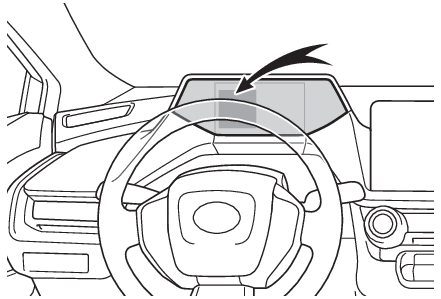
When charging cannot be carried out When charging does not start, even though the normal procedure is followed, check each of the following items. If a message is shown on the multi-information display, also refer to When charging-related message is displayed. When charging cannot be carried out Refer to the following table and carry out the appropriate correction procedure. The error warning indicator on the CCID (Charging Circuit Interrupting Device) flashes.
Likely cause Correction procedure
Electrical leakage detection function or self-diagnostic function operates and power is cut off When the voltage is insufficient, the error warning indicator may flash when there is noise interference. Perform a reset and connect to a proper power source. (When a malfunction occurs during charging) If charging does not start, immediately stop charging and contact your Toyota dealer.
Charging indicator of the charging port does not illuminate, even though AC charging connector is connected.
Likely cause Correction procedure
AC charging connector is not securely connected to AC charging inlet Check the connection status of the AC charging connector. When connecting the AC charging connector, make sure not to touch the latch release button. Insert the AC charging connector securely until you hear a click. The AC charging connector may not be connected correctly if the latch release button is pressed while inserting. After connecting the AC charging connector, check that the latch release button is not pressed and the charging indicator of the charging port is turned on. If the charging indicator of the charging port does not illuminate, even though the AC charging connector is securely connected, there may be a malfunction in the system. Immediately stop charging and contact your Toyota dealer.
Hybrid battery (traction battery) is already fully charged When the hybrid battery (traction battery) is fully charged, charging is not performed.
The AC charger does not operate Contact the facility manager when there is a problem with AC charger.
Charging indicator of the charging port flashes and charging cannot be carried out.
Likely cause Correction procedure
When charging indicator of the charging port flashes normally*: Charging schedule is registered When you wish to charge according to the charging schedule, wait until the set time. To start charging, set “ Charge Now” to on. (Setting “Charge Now” to onOperation on “Charging Schedule” screenOperation on “Trip Summary” screen, Turning “Charge now” on)
When charging indicator of the charging port rapidly flashes*: Malfunction occurred in an external power source or the vehicle When a door is opened while the power switch is off, a message will be displayed on the multi-information display. Follow the instructions displayed by the message on the multi-information display.
*Refer to Charging indicator for details regarding charging indicator of the charging port illumination and flashing.
When charging schedule function does not operate normally Refer to the following table and carry out the appropriate correction procedure. Charging does not start at desired time
Likely cause Correction procedure
The vehicle calendar and clock are not set correctly Check the calendar setting and set it to the correct date. (Settings display) Check the clock setting and set it to the proper time.*
AC charging connector is not connected to vehicle Before using the charging schedule, connect the AC charging connector.
AC charging connector was connected after set time Connect the AC charging connector before the time set in “ Start” or “ Start at set time”. When the charging mode is set to “ Start-Stop” or “ Start and stop at set times”, the hybrid battery (traction battery) will charge even if the start time has passed, if the AC charging connector is connected before the stop time.
*For details regarding setting clock, refer to “ MULTIMEDIA OWNER’S MANUAL”.
Cannot change charging schedule from smartphone application (if equipped)*
Likely cause Correction procedure
Smartphone is outside its coverage area Check the signal strength. If the smartphone is outside its coverage area, move to a place with a better signal.
*In order to use the smartphone application, it is necessary to apply to Toyota Apps. For details about Toyota Apps, refer to http://www.toyota.com/connectedservices in the United States and http://www.toyota.ca/connected in Canada.
Charging starts, even though charging schedule is registered
Likely cause Correction procedure
“ Charge Now” is set to on When charging according to the charging schedule, set “ Charge Now” to off. (Setting “Charge Now” to onOperation on “Charging Schedule” screenOperation on “Trip Summary” screen, Turning “Charge now” on)
Charging schedule is set to off Check that charging schedule is not set to off. (Setting operations on multi-information display - Switching charging schedules between on and off, Setting operations on the Multimedia Display - Switching charging schedules between on and off)
AC charging connector was removed and reinserted while charging indicator of the charging port was flashing If the AC charging connector is removed and reinserted while the charging indicator is flashing, the charging schedule is canceled (If the charging indicator of the charging port flashes after connecting the AC charging cable). Temporarily remove the AC charging connector, and then reconnect it.
Outside temperature is low and hybrid battery (traction battery) warming control (Hybrid battery (traction battery) warming control (Alaska and Canada only)) operated (Alaska and Canada only) When hybrid battery (traction battery) warming control operates, the charging schedules are ignored and charging starts. In order to protect the hybrid battery (traction battery), allow charging to continue. After the 12-volt battery is removed and reconnected, the charging schedule setting may be disabled due to the initial setting of the temperature control system for the 12-volt battery, even when the outside temperature is not low. In this case, after driving a few times, the system initial settings will be completed and the charging schedule settings will be enabled when the outside temperature is not low.
Charging Charging messages When charging-related message is displayed When a door is opened with the power switch off, after charging, a message is displayed in the multi-information display. When this occurs, follow the instructions displayed on the screen. If “ Charging Stopped Due to Pulled Charging Connector” is shown
Likely cause Correction procedure
AC charging connector is removed while AC charging When the AC charging connector is removed while AC charging, charging stops. If you want to fully charge the hybrid battery (traction battery), reconnect the AC charging connector.
After the hybrid battery (traction battery) is fully charged, the AC charging connector is removed while the hybrid battery (traction battery) is being recharged again because electricity-consuming functions* have been used and the remaining charge is now reduced.
AC charging connector is not securely connected Check the connection status of the AC charging connector. When connecting the AC charging connector, make sure not to touch the latch release button. Insert the AC charging connector securely until you hear a click. The AC charging connector may not be connected correctly if the latch release button is pressed while inserting. After AC connecting the charging connector, check that the latch release button is not pressed and the charging indicator of the charging port is turned on. If charging cannot be carried out, even though the proper procedures were followed, have the vehicle inspected by your Toyota dealer.
Latch release button of AC charging connector was pressed while AC charging When the latch release button is pressed while AC charging, charging stops. To continue charging, reconnect the AC charging connector.
*Electricity is consumed when operating “ Battery Heater”. (“Battery Heater”)
If “ Charging Complete Limited Due to Battery Temp” is shown
Likely cause Correction procedure
Charging was stopped to protect the hybrid battery (traction battery) as it continued to remain hot for a certain period of time. Allow the hybrid battery (traction battery) to cool down and perform charging again if the charging amount has not reached the desired amount.
If “ Charging Stopped Check Charging Source” is shown
Likely cause Correction procedure
Problem in power supply from external power source Check the following items. The plug is securely inserted. Extension cord is not used and electrical outlet is not overloaded. The remote switch is not off. Connected to a dedicated power line. Power outage has occurred or not. The power indicator on the CCID (Charging Circuit Interrupting Device) is illuminated. The circuit breakers have not tripped. If all of the above conditions are met, the electrical outlet may be malfunctioning. Contact an electrician and request an inspection. Furthermore, if the error warning indicator on the CCID (Charging Circuit Interrupting Device) is flashing, there may be electrical leakage. Contact your Toyota dealer. If charging cannot be performed, even though there is no problem with the power source path, there may be a malfunction in the system. Have the vehicle inspected by your Toyota dealer.
AC charging is stopped by AC charger Depending on the specifications of charger, charging may be canceled by an interruption of power supply. Charging may be stopped by the following. Refer to charger handling methods. The charging stop button of charger is pressed. Charger with off charging schedule function canceled charging Charger that is not compatible with the charging schedule function of the vehicle Check if it is possible to charge with the AC charging cable equipped with the vehicle. If charging cannot be carried out even when using the genuine AC charging cable, contact your Toyota dealer.
The AC charger is not compatible with the vehicle Check if it is possible to charge with the AC charging cable equipped with the vehicle.
If charging cannot be carried out even when using the genuine AC charging cable, contact your Toyota dealer.
If “ Charging Stopped High Energy Use See Owner’s Manual” is shown
Likely cause Correction procedure
Power is being consumed by electrical components of vehicle Check the following items, and then carry out charging again. If the headlights and audio are turned on, turn them off. Turn the power switch off. If charging cannot be carried out, even after performing the above, the auxiliary battery may not be sufficiently charged. Operate the hybrid system for approximately 15 minutes or more to charge the 12-volt battery.
If “ Charging System Malfunction See Owner’s Manual” is shown
Likely cause Correction procedure
Malfunction occurred in charging system Have the vehicle inspected by your Toyota dealer.
If “ The Traction Battery Temp is low System put priority on charging to preserve battery condition” is shown (Alaska and Canada only)
Likely cause Correction procedure
The Hybrid battery (traction battery) warming control was operated (Hybrid battery (traction battery) warming control (Alaska and Canada only)) When the hybrid battery (traction battery) warming control operates, the charging schedule is not used and charging is performed. This is a control to protect the hybrid battery (traction battery), and not a malfunction.