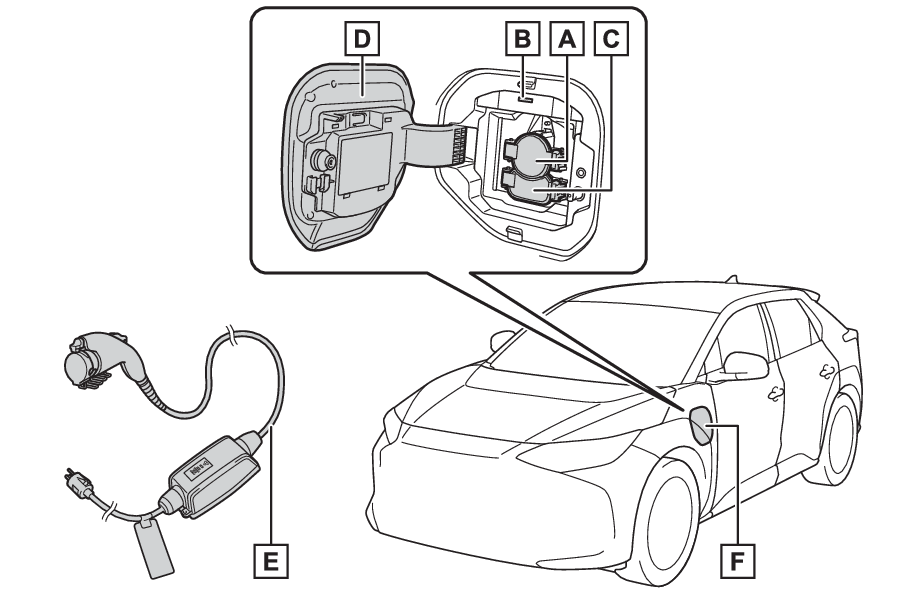
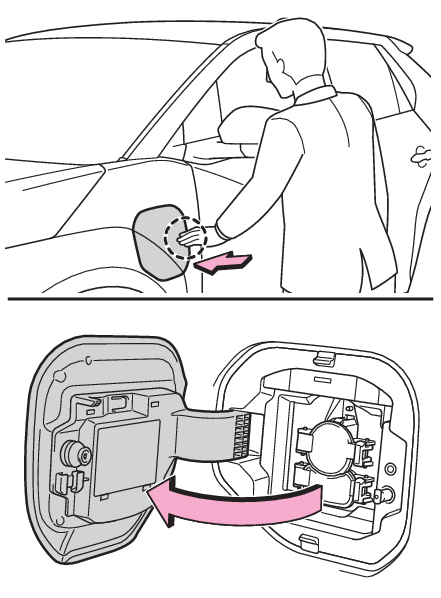
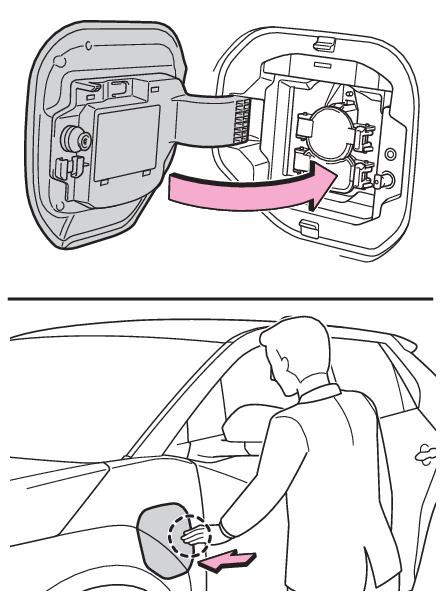
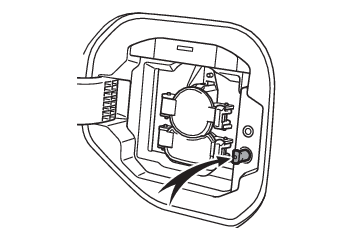
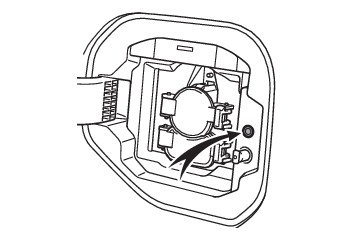
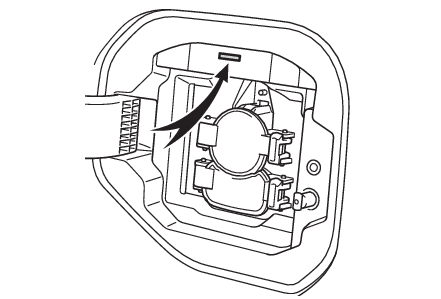
Charging equipment Charging Charging components Charging ports Charging port lid Charging equipment and names AC charging inlet Charging indicator (Charging indicator) and Charging inlet light DC charging inlet Charging port lid (Opening/closing the charging port lid) AC charging cable (If equipped)* (AC charging cable*) Charging port *For proper handling and precautions for the AC charging cable, refer to the owner’s manual that comes with it. Charging Opening and closing the charging port lids Charging ports Opening and closing Opening/closing the charging port lid Open Slightly open the charging port lid by pressing the rear edge of it (the position shown in the illustration) Fully open the charging port lid by hand. Close Move the charging port lid to the slightly open position and then press the rear edge (the position shown in the illustration) to close it. Note: About lid lifter The charging port lid is not closed if the lid lifter is pushing in before closing the charging port lid. In that case, push again with the door unlocked and release the lid lifter, and close the charging port lid again. About the charging port lid open/close detection switch When the charging port lid is open, be careful not to touch the charging port lid open/close detection switch. When the charging port lid is open, be careful not to touch the charging port lid open/close detection switch (position shown in the figure). If you accidentally touch the switch, the vehicle may incorrectly indicate that. Indicators Charging indicator Charging indicator The illumination/flashing pattern changes to inform the user of the charging status in the following ways.
Illumination/flashing pattern Vehicle condition
Illuminated Charging is in progress*1 Battery heater (Traction battery heater) is operating
Flashes normally*2 When charging schedule is registered (Using the charging schedule function) and AC charging cable is connected to vehicle
Flashes rapidly*2 When charging cannot be carried out due to malfunction in a power source or the vehicle, etc. (Charging indicator of the charging port flashes and charging cannot be carried out.)
*1The indicator is dimmed when the charging is done *2Flashes for a certain period of time, and then turns off.