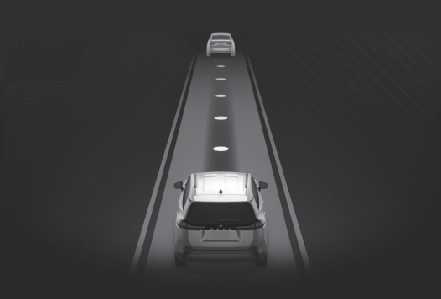
Traffic Jam Assist* *If equipped Traffic Jam Assist is a system which, through confirmation of the conditions by the driver, provides lane keeping and vehicle-to-vehicle distance maintenance on some highways and expressways. Also, in an emergency, the system can decelerate and stop, to help avoid a collision or help reduce the impact of a collision. Note: Precautions for use Precautions for use Sensors used for Traffic Jam Assist Sensors which detect the surrounding conditions (Sensors which detect the surrounding conditions) Sensors which detect the driver condition (Sensors which detect the driver condition) Note: Situations in which some or all of the functions of the system cannot operate Situations in which some or all of the functions of the system cannot operate Changes in brake operation sound and pedal response Changes in brake operation sound and pedal response Situations in which the driver monitor camera may not operate properly Situations in which the driver monitor camera may not operate properly (if equipped) Emergency Driving Stop System Emergency Driving Stop System Extended resume time of dynamic radar cruise control Conditions for extended resume time (vehicles with Traffic Jam Assist) Traffic Jam Assist Function Traffic Jam Assist function, through confirmation of the conditions by the driver, provides lane keeping and vehicle-to-vehicle distance maintenance on some highways and expressways. The traffic jam assist function operates when all the following conditions are met. The driver’s hands can be hands off the steering wheel while the system is in operation. The dynamic radar cruise control is in operation LTA is in operation The operating conditions of Traffic Jam Assist are met (Operating conditions of the function) Before using Traffic Jam Assist function, familiarize yourself with the content of the dynamic radar cruise control and the LTA. The driver should assume responsibility for vehicle operations when entering a location such as a service area/parking area, interchange, or toll booth, or when changing lanes. Driver monitor camera recording When the operation of Traffic Jam Assist is started, the following message will be displayed: “ Allow Driver Monitor Camera Recording?” When recording is approved, the system records images of the area around the driver in certain crash or near crash-like situations, such as an SRS airbag being deployed or the vehicle hitting an object on the road. (Vehicle data recording) Warning: For safe use Traffic Jam Assist function is not an automated driving system. Driving safely is solely the responsibility of the driver. Do not overly rely on this system, and pay careful attention to the surrounding conditions in order to ensure safe driving. The steering assist of this system is designed to operate only for slow steering operations during a traffic jam. While this function is operating, the lane deviation control function of LDA will not operate. If, for some reason, the vehicle is about to deviate the lane, it is the driver’s responsibility to drive properly. Even if Traffic Jam Assist is operating properly, the surrounding conditions as recognized by the driver and detected by the system may differ. Therefore, it is necessary for the driver to pay attention, assess risks, and ensure safety. Over-reliance on this system to drive the vehicle safely may lead to an accident resulting in death or serious injury. In certain situations, a message urging the driver to hold the steering wheel may be displayed by Traffic Jam Assist function. In this case, hold the steering wheel and drive the vehicle manually to ensure safety. Traffic Jam Assist function cannot detect the following objects. Operate the steering wheel, accelerator pedal, or brake pedal as necessary to avoid a collision. As the function will not be able to provide appropriate control, using it may lead to an accident resulting in death or serious injury. Fallen objects on road Vehicles outside the lane (such as on the shoulder of the road) Roads with depressions, potholes, cracks, or other damage Animals Extremely close vehicles or vehicles that cut in suddenly Situations in which Traffic Jam Assist Function should not be used Do not use Traffic Jam Assist Function in situations such as the following. As the system will not be able to provide appropriate control, using it may lead to an accident resulting in death or serious injury. When it is necessary to disable the system When it is necessary to disable the system Situations in which the sensors and the systems may not operate properly Situations in which the sensors and the systems may not operate properly Situations in which the lane may not be detected Situations in which the lane may not be detected Situations in which the function may not operate properly In situations such as the following, Traffic Jam Assist function may not operate properly. Manually operate the vehicle as necessary. When a vehicle cuts in front of your vehicle When driving in low visibility conditions When the vehicle posture is changing When the traction on the road surface differs greatly between the left and right side tires The map data has not been updated properly. When there is a construction zone nearby. To prevent malfunction of the radar sensors To prevent malfunction of the radar sensors To prevent malfunction of the front camera To prevent malfunction of the front camera Front camera installation area on the windshield Front camera installation area on the windshield Precautions for the driver monitor camera Precautions for the driver monitor camera (if equipped) Note: Operating conditions of the function This function is operable when all of the following conditions are met: The system detects lane lines and the path of preceding or surrounding vehicles. The dynamic radar cruise control and LTA are operating. The turn signal lever is not being operated. The vehicle is not being driven around a sharp curve. The vehicle is being driven in the center of a lane. The driver monitor camera is detecting that the driver is facing forward. The vehicle is driving in traffic jam on a highway or expressway. (Excluding temporary sections where the central dividing strip is separated by poles, expressways without a central dividing strip, or when there is a construction zone nearby.) When the vehicle speed is approximately 25 mph (40 km/h) or less. (under some conditions, such as the start of a traffic jam, this function may be operational at approximately 20 mph (30 km/h) or less.) Connected services is being subscribed to. When the driver’s door is closed. Customized setting of Traffic Jam Assist is set to on. Functions and components composing the system are in proper condition. Customized setting of Driver Monitor Camera is set to on. When there are no vehicles traveling at high speeds nearby. When the accelerator pedal is not being operated. When not towing a trailer. Temporary cancelation of the function When the operating conditions are no longer met, a function may be temporarily canceled. However, when the operation conditions are met again, operation of the function will automatically be restored. If the operating conditions of a function are no longer met while the function is operating, a buzzer sound or display may indicate that the function has been temporarily canceled. If no driver’s responses to the indication are detected, the driver emergency stop assist function may operate. For types of display and action to be taken, see the page mentioned below. (Displays and system operation) In the following situations, the ability to detect steering operations may be reduced or may not be detectable. When a steering wheel cover is installed When the driver is wearing gloves When foreign matter is attached to the steering wheel When the driver is gripping the wood trim, seam of the leather, spokes, or other part of the steering wheel that does not have sensors Driving operations during controlled driving: The steering and acceleration/deceleration control by the system can be adjusted by the driver’s operations of the steering wheel, accelerator pedal, and brake pedal. Changing Traffic Jam Assist settings The settings of the Traffic Jam Assist can be changed through the customize settings. (Customizable features) Traffic Jam Assist indicatorDisplays and system operation The following displays indicate the operating status of the Traffic Jam Assist function:
Display Status Action to be taken
Icon Message
“ Take Control of Steering Wheel” Traffic Jam Assist function has ended Operate the steering wheel.
“ Take Control of the Driving Assist Unavailable” Operation of either or both of dynamic radar cruise control/LTA ended Manually perform driving operations immediately.
Indicates the driving actions are necessary to cope with cut-in or other behavior of surrounding vehicles The driver must perform driving operations in accordance with the surrounding environment.
“ Traffic Jam Assist Unavailable Driver Monitor Camera OFF” Traffic Jam Assist function cannot start because driver monitor camera is set to OFF Set the driver monitor camera to ON.
Indicates that the recording function of the driver monitor camera is operational (Blinking of this icon indicates that recording is undergoing, and constant illumination indicates ready for recording.)