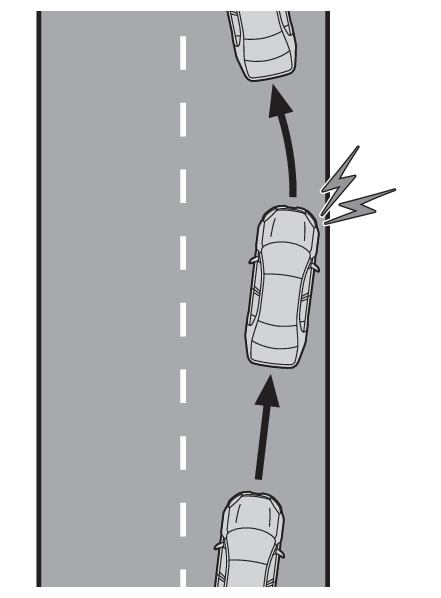
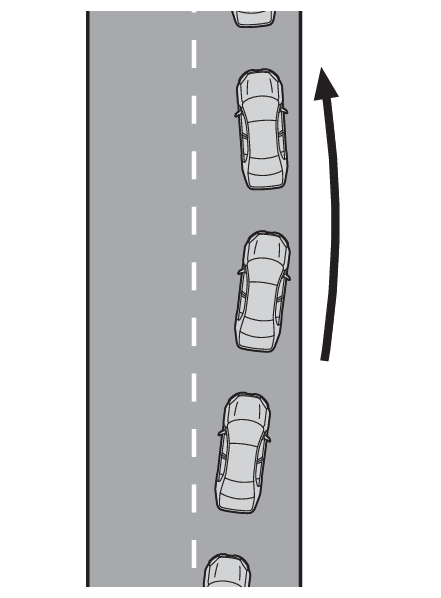
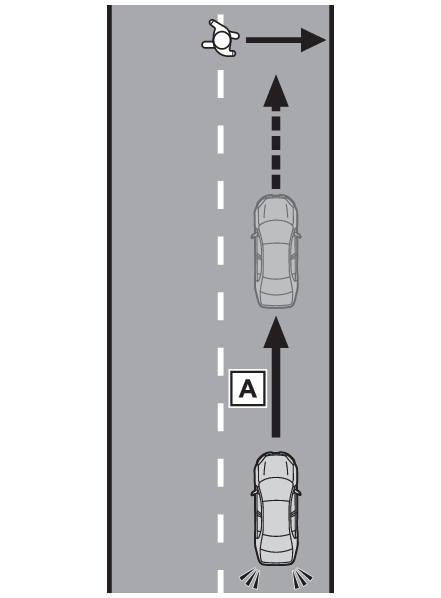
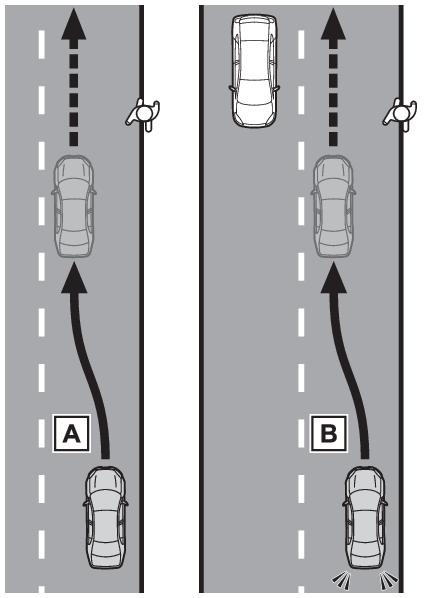
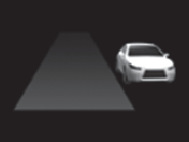
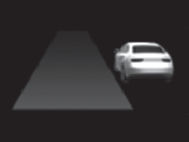
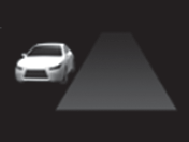
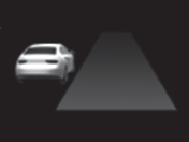
LDA (Lane Departure Alert) When the vehicle deviates or is likely to deviate from its lane or course*, the system alerts the driver and assists with some steering operations to avoid the deviation. When a certain object such as a pedestrian is detected on the road or the side of the road, assistance with some brake and steering operations is provided to help prevent the vehicle from approaching too close to a detected object. *Boundary between the asphalt and grass, soil, etc., or structures, such as a curb, guardrail, etc. Warning: For safe use Driving safely is solely the responsibility of the driver. Pay careful attention to the surrounding conditions in order to ensure safe driving. LDA is neither an automated driving system nor a system that completely prevents accidents, but a system that assists driving. Over-reliance on this system to drive the vehicle safely may lead to an accident resulting in death or serious injury. Read the following items carefully. Do not overly rely on this system and always drive carefully. For safe use: For safe use When turning off LDA When it is necessary to disable the system: When it is necessary to disable the system Basic functions Lane departure alert function When the system detects that a vehicle is deviating from its lane or course, it alerts the driver with Vibration, Audible, or Vibration and Audible in addition to a display indication. Lane departure prevention function When the system determines that the vehicle is likely to deviate from its lane or course, it provides assistance through steering operations to help avoid deviation from the lane or course. If the system determines that the steering wheel has not been operated for a certain amount of time or the steering wheel is not being firmly gripped, a warning message may be displayed and a warning buzzer may sound to alert the driver. Note: Operating conditions of the lane departure alert function and the lane departure prevention function The followings are the operating vehicle speeds. The vehicle speed is approximately 30 mph (50 km/h) or more. Operation may be possible when the vehicle speed is approximately 25 mph (40 km/h) or more if vehicles, motorcycles, bicycles, or pedestrians are detected near the lane. Vehicles with a driver monitor camera: When the system determines that the driver’s attention is impaired, operation may be possible when the vehicle speed is approximately 25 mph (40 km/h) or more. If a curb, guardrail, or other structure is detected, operation may be possible when the vehicle speed is approximately 22 mph (35 km/h) or more. The lane departure alert function and the lane departure prevention function will not operate in the following situations: When LDA is OFF When the system can’t recognizes a lane or course (When recognized on only one side, the system will operate only for the recognized side.) When VSC is turned off When the shift position is in R When the pre-collision system operates the brake or steering wheel In the following situations, the lane departure alert function and the lane departure prevention function may not be activated. When the operating conditions are no longer met during operation, the operation may be temporarily canceled. When driving on a narrow lane or course When driving on a sharp curve During sudden braking or acceleration When the turn signal lights are flashing in the same direction as the vehicle’s deviation direction. If the system determines that the vehicle may collide with a vehicle in an adjacent lane, the lane departure alert function and the lane departure prevention function will operate even if the turn signal lights are operating. When the steering wheel has been operated with more than a certain amount of force When a vehicle is unstable When the system determines that the driver intentionally deviates from the lane or course. For example, when the driver avoids pedestrians or parked vehicles Operation of the lane departure alert function and the lane departure prevention function The lane departure prevention function can be overridden by the steering operation of the driver. Vehicles with a driver monitor camera: Depending on the driver condition, the lane departure alert function and the lane departure prevention function changes the timing of operation. Depending on the vehicle speed, road conditions, etc., the lane departure alert function and the lane departure prevention function may not be noticed. Hands off steering wheel warning operation In the following situations, a message urging the driver to operate the steering wheel and an icon will be displayed and a buzzer will sound to warn the driver. When using the system, make sure to grip the steering wheel firmly, regardless of whether the warning is operating or not. When the system determines that the driver is not securely holding the steering wheel, or the steering wheel is not being operated when the steering assist operation of the lane departure prevention function is operating The length of time that the warning buzzer operates will become longer as the frequency of the steering assist operating increases. If the system judges that the steering wheel has been operated, the warning buzzer will stop. Warning: Situations in which the lane departure alert function and the lane departure prevention function may not operate properly In the following situations, the system may not operate properly and the vehicle may deviate from its lane or course. Do not overly rely on these functions. The driver is solely responsible for paying attention to their surroundings and operating the steering wheel as necessary to ensure safety. When the boundary between the asphalt and grass, soil, etc., or structures, such as a curb, guardrail, etc. is not clear or continuous When the vehicle is struck by a crosswind or the turbulence of other nearby vehicles Situations in which the lane may not be detected: Situations in which the lane may not be detected Situations in which the sensors and the systems may not operate properly: Situations in which the sensors and the systems may not operate properly Situations in which some or all of the functions of the system cannot operate: Situations in which some or all of the functions of the system cannot operate OAA (Obstacles Anticipation Assist) When a certain object such as a pedestrian* is detected crossing the road, assistance with some brake operations is provided in order to reduce the possibility of a collision, in addition to a display indication. *Pedestrians, bicycles (Detected as a detectable object when being ridden.) Deceleration assist When a certain object such as a pedestrian* is detected on the side of the road, assistance with some brake and steering operations is provided to help prevent the vehicle from approaching too close to a detected object. Assistance with steering operations is provided within a range that the vehicle will not deviate from its current lane. *Pedestrians, parked vehicles, bicycles (Detected as a detectable object when being ridden.) Steering assist Deceleration assist and Steering assist Note: Operating conditions of Obstacles Anticipation Assist The followings are the operating vehicle speeds. Detectable object crossing the road assistance operates when the vehicle speed is between approximately 20 to 35 mph (30 to 60 km/h) Detectable object on the side of the road assistance operates when the vehicle speed is between approximately 20 to 35 mph (30 to 60 km/h) Obstacles Anticipation Assist will not operate in the following situations: When the dynamic radar cruise control or cruise control is operating When the pre-collision system is turned off When P, R or N shift position is selected In the following situations, Obstacles Anticipation Assist will stop assisting with the braking operation. When the vehicle speed is less than approximately 9 mph (15 km/h) When a certain vehicle speed has been reached, as judged by the system, according to the surrounding conditions In the following situations, Obstacles Anticipation Assist may not be activated. When the operating conditions are no longer met during operation, the operation may be temporarily canceled. When the brake control or output restriction control of a driving support system operates When the system determines that a detected object has moved away from the vehicle When the brake pedal has been depressed When the accelerator pedal has been depressed When the steering wheel has been operated with more than a certain amount of force When the left or right turn signal lights are flashing Warning: Situations in which Obstacles Anticipation Assist may not operate properly In the following situations, the system may not operate properly. When a detectable object stops immediately before entering the path of the vehicle When passing extremely close to a detectable object behind a guardrail, fence, etc. When changing lanes while overtaking a detectable object When passing a detectable object that is changing lanes or turning left/right When there are objects (guardrails, power poles, trees, walls, fences, poles, traffic cones, mailboxes, etc.) in the surrounding area When there are patterns or a painting ahead of the vehicle that may be mistaken for a detectable object When passing through a place with a low structure above the road (tunnel with a low ceiling, traffic sign, signboard, etc.) When driving on snowy, icy, or rutted roads When a detectable object is approaching your vehicle When your vehicle or a detectable object is wandering When the movement of a detectable object changes (change in direction, sudden acceleration or deceleration, etc.) When suddenly approaching a detectable object When there is a structure above a detectable object When part of a detectable object is hidden by another object (large luggage, umbrella, guardrail, etc.) When multiple detectable objects are overlapping When a bright light, such as the sun or headlights of another vehicle, is reflecting off of the detectable object When the detectable object is white and looks extremely bright When the color or brightness of the detectable object causes it to blend in with its surroundings When a detectable object cuts in front of or emerges from beside a vehicle When approaching a vehicle ahead which is perpendicular, at an angle to the vehicle, or is facing the vehicle If a parked vehicle is perpendicular or at an angle to the vehicle When a bicycle is a child sized, is carrying a large load, is carrying an extra passenger, or has an unusual shape (bicycles equipped with a child seat, tandem bicycles, etc.) When a pedestrian or bicyclist is shorter than approximately 3.2 ft. (1 m) or taller than approximately 6.5 ft. (2 m) When the silhouette of a pedestrian or bicyclist is unclear (such as when they are wearing a raincoat, long skirt, etc.) When a pedestrian or bicyclist is bending forward or squatting When a pedestrian or bicyclist is moving at high speed When a pedestrian is pushing a stroller, wheelchair, bicycle or other vehicle When a detectable object blends in with the surrounding area, such as when it is dim (at dawn or dusk) or dark (at night, in a tunnel, etc.) When the lane width is 13.1 ft.(4 m) or more When the lane width is 8.2 ft.(2.5 m) or less When the vehicle has not been driven for a certain amount of time after the hybrid system was started While turning left or right or a few seconds after turning left or right While changing lanes or a few seconds after changing lanes When entering a curve, driving around a curve and a few seconds after driving around a curve Situations in which the lane may not be detected: Situations in which the lane may not be detected Situations in which the sensors and the systems may not operate properly: Situations in which the sensors and the systems may not operate properly Situations in which some or all of the functions of the system cannot operate: Situations in which some or all of the functions of the system cannot operate Changing LDA settings The settings of LDA can be changed through customize settings. (Customizable features) LDA indicator LDA OFF indicatorDisplays and system operation The lane departure alert function and the lane departure prevention function will show the following indicator and the operating display on the display depending on the situation.
Indicator Operation display Situation
White Not illuminated LDA is turned OFF
Not illuminated Not illuminated LDA is turned ON LDA can not be activated
White Not illuminated LDA is turned ON LDA can be activated
Red Red LDA is turned ON The lane departure alert function and/or the lane departure prevention function is operating for the side which the operation display is lighting.
Obstacles Anticipation Assist will show the following indicator lights and icons on the display depending on the situation. Some icons cannot be displayed unless the display is changed to the driving safety support function information screen.
Icon Meaning
A pedestrian or a bicycle has been detected as crossing the road or on the side of the road and brake or steering assistance is operating
A vehicle has been detected on the side of the road and brake or steering assistance is operating