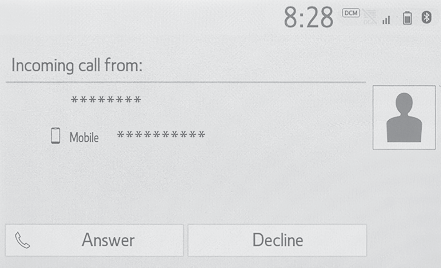
Receiving a call using the Bluetooth® hands-free systemReceiving a call using the Bluetooth® hands-free systemWhen a call is received, the following screen is displayed with a sound.Incoming callsSelect “
Answer” or press the
switch on the steering wheel to talk on the phone.“
Decline”: Select to refuse to receive the call.To adjust the volume of a received call: Turn the “
POWER VOLUME” knob, or use the volume control switch on the steering wheel.Note:The contact image picture can be displayed only when the vehicle is not moving.During international phone calls, the other party’s name or number may not be displayed
correctly depending on the type of Bluetooth® phone you have.The incoming call display mode can be set. (Notifications settings screen)The ringtone that has been set in the sound settings screen can be heard when there
is an incoming call. Depending on the type of Bluetooth® phone, both the system and Bluetooth® phone may ring simultaneously when there is an incoming call. (Sounds settings screen)