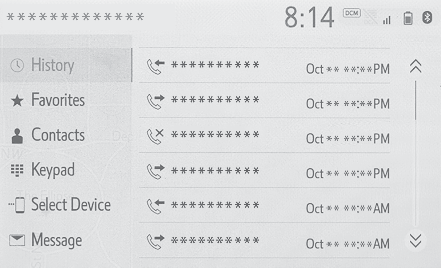
Phone buttonPhoneHands-free systemBluetooth® hands-free systemQuick referencePhone
Phone screen operationPhone screen operationThe phone screen can be reached by the following methods:From the “
PHONE” buttonPress the “
PHONE” button.From the “
MENU” buttonPress the “
MENU” button, then select “
Phone”.Bluetooth® hands-free system operationThe following functions can be used on phone operation:Registering/connecting a Bluetooth® device (Registering/Connecting a Bluetooth® device)Placing a call using the Bluetooth® hands-free system (Placing a call using the Bluetooth® hands-free system)Receiving a call using the Bluetooth® hands-free system (Receiving a call using the Bluetooth® hands-free system)Talking on the Bluetooth® hands-free system (Talking on the Bluetooth® hands-free system)Message functionThe following function can be used on message function:Using the Bluetooth® phone message function (Bluetooth® phone message function)Setting up a phoneThe following functions can be made in the system:Phone settings (Setup)Bluetooth® settings (Setting Bluetooth® details)