Mobile AssistantMobile AssistantThe Mobile Assistant function is a voice input assist function. Mobile Assist supports
the Siri Eyes Free Mode and Google App. (Google App can be used only with the corresponding
device.) Instructions can be spoken into the vehicle microphone as if speaking a command
to the phone. The content of the request is then interpreted by the phone and the
result is output from the vehicle speakers. To operate the Mobile Assistant, a compatible
device must be registered and connected to this system via Bluetooth®. (Registering/Connecting a Bluetooth® device)When an Apple CarPlay connection is established, this function will be unavailable.Mobile Assistant
Connectable devices and available functionsConnectable devices and available functionsMobile Assist supports the Siri Eyes Free Mode and Google App. The available features
and functions may vary based on the iOS/Android version installed on the connected
device.Mobile Assistant
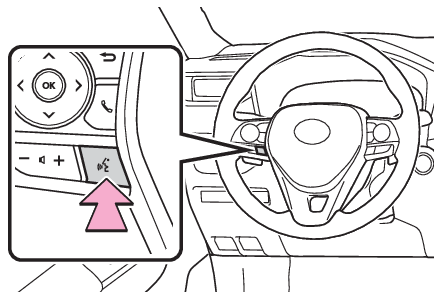
Mobile Assistant operationMobile Assistant operationType APress and hold the talk switch on the steering wheel until Mobile Assistant screen
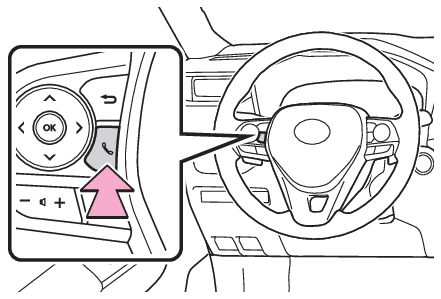
is displayed.Type BPress and hold the
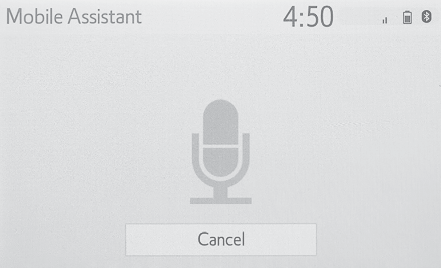
switch on the steering wheel until Mobile Assistant screen is displayed.The Mobile Assistant can be used only when the following screen is displayed.Type A: To cancel the Mobile Assistant, select “
Cancel” or press and hold the talk switch on the steering wheel.Type B: To cancel the Mobile
Assistant, select “
Cancel” or press and hold the
switch on the steering wheel.Type A: To restart the Mobile Assistant for additional commands, press the talk switch
on the steering wheel.Type B: To restart the Mobile Assistant for additional commands,
press the
switch on the steering wheel.Mobile Assistant can only be restarted after the system responds to a voice command.After some phone and music commands, the Mobile Assistant feature will automatically
end to complete the requested action.The volume of the Mobile Assistant can be adjusted using the “
POWER VOLUME” knob or steering wheel volume control switches. The Mobile Assistant and phone call
volumes are synchronized.Note:While a phone call is active, the Mobile Assistant cannot be used.If using the navigation feature of the cellular phone, ensure the active audio source
is Bluetooth® audio or iPod in order to hear turn by turn direction prompts.Wait for the listening beeps before using the Mobile Assistant.The Mobile Assistant may not recognize commands in the following situations:Spoken too quickly.Spoken at a low or high volume.The roof or windows are open.Passengers are talking while the Mobile Assistant is being used.The fan speed of the air conditioning system is set at high.The air conditioning vents are turned toward the microphone.