Voice settingsVoice button (Setup screen)Voice settingsVoice volume, etc. can be set.Voice settings
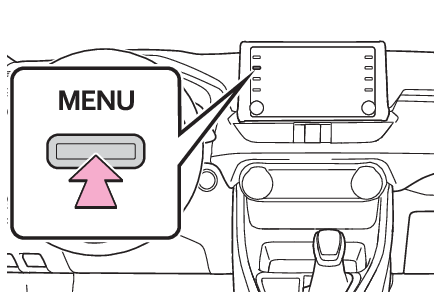
Displaying the voice settings screenDisplaying the voice settings screenPress the “
MENU” button.Select “
Setup”.Select “
Voice”.Select the desired items to be set.Voice settings
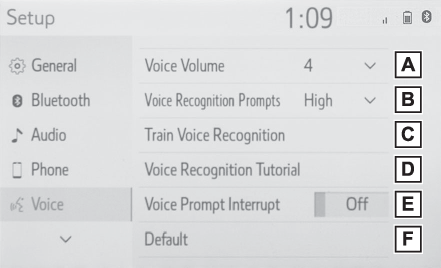
Voice settings screenVoice settings screenSelect to adjust the volume of voice guidance.Select to set the voice recognition prompts.Select to train voice recognition.The voice command system adapts the user accent.Select to start the voice recognition tutorial.Select to set the voice prompt interrupt on/off.Select to reset all setup items.