Initial screenInitial screenWhen the engine switch is turned to ACC or ON, the initial screen will be displayed
and the system will begin operating.Initial screen
Caution screenCaution screenAfter a few seconds, the caution screen will be displayed.After about 5 seconds or selecting “
Continue”, the caution screen automatically switches to the next screen.Warning:When the vehicle is stopped with the engine running, always apply the parking brake
for safety.Initial screen
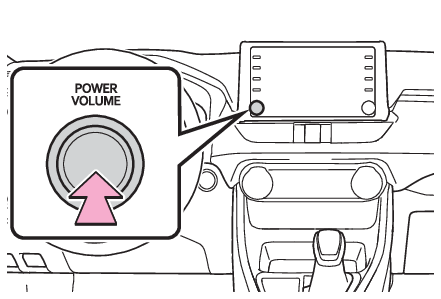
Restarting the systemRestarting the systemWhen system response is extremely slow, the system can be restarted.Press and hold the “
POWER VOLUME” knob for 3 seconds or more.