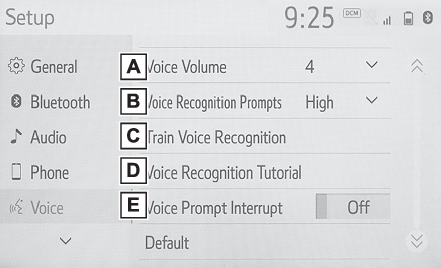
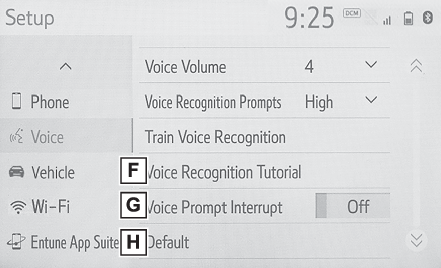
Wi-Fi® button (Setup screen)Voice button (Setup screen)Vehicle button (Setup screen)Setup screenSetup button (Menu screen)Phone button (Setup screen)General button (Setup screen)Enform App Suite button (Setup screen)Bluetooth® button (Setup screen)Audio button (Setup screen)“
Setup” screen“
Setup” screenPress the “
MENU” button, then select “
Setup” to display the “
Setup” screen. The items shown on the “
Setup” screen can be set.Select to change the selected language, operation sound settings, etc. (General settings)Select to set Bluetooth® device and Bluetooth® system settings. (Setting Bluetooth® details)Select to set audio settings. (Setup)Select to set the phone sound, contacts, message settings, etc. (Setup)Select to set the voice settings. (Voice settings)Select to set vehicle information. (Vehicle settings)Select to set Wi-Fi® connection settings.*1, 2 (Changing the Wi-Fi® settings)Select to set Toyota Entune App Suite Connect settings.*2 (Toyota Entune App Suite Connect settings)*1Vehicles equipped with DCM*2This function is not made available in some countries or areas.