Hybrid system
Energy monitor/consumption screenEnergy monitorDisplay
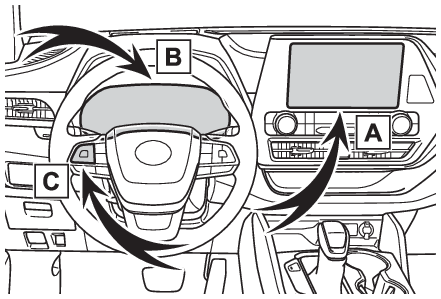
Energy monitorEnergy monitor/consumption screenThe state of the hybrid system can be viewed on the multi-information display and
audio system display.Vehicles with a 12.3-inch display: The energy monitor or consumption screen can be
displayed and operated on the Toyota multi-operation touch.System componentsAudio system screenMulti-information displayMeter control switchesMulti-information display
Energy monitorEnergy monitorEnergy monitorAudio system screenAudio or Audio Plus (vehicles without Data Communication Module)Press the “
MENU” button.Select “
Info” on the “
Menu” screen.If a screen other than “
Energy Monitor” is displayed, select “
Energy”.Audio Plus (vehicles with Data Communication Module) or Premium AudioPress the “
MENU” button.Select “
Info” on the “
Menu” screen.Select “
ECO” on the “
Information” screen.If a screen other than “
Energy Monitor” is displayed, select “
Energy”.12.3-inch displaySelect
Toyota multi-operation touch (Toyota multi-operation touch overview).Select “
Energy”.The screen position can also be changed by select a desired information in full screen.
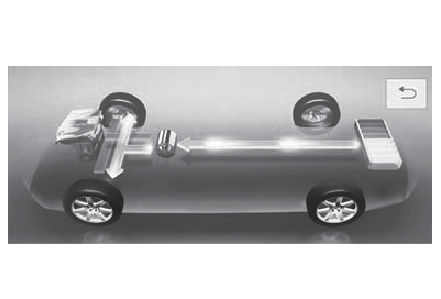
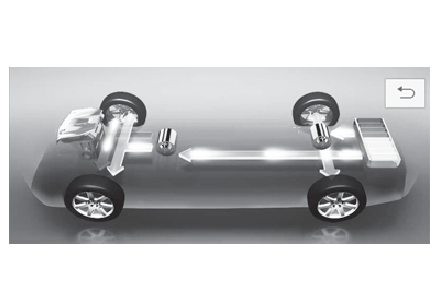
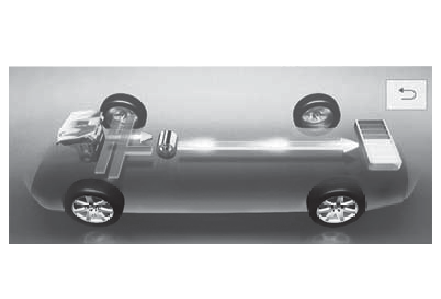
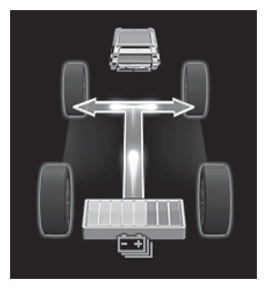
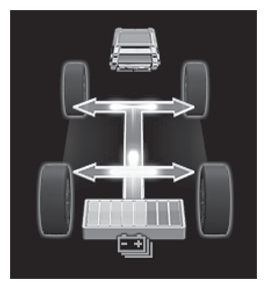
When the vehicle is powered by the electric motor (traction motor) (Example: 8-inch
display)
2WD/AWD models
AWD models only
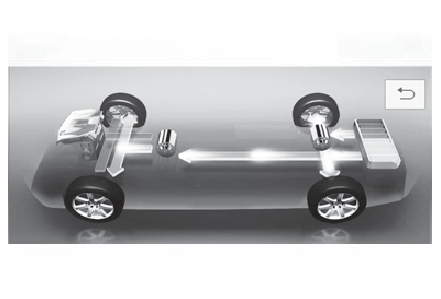
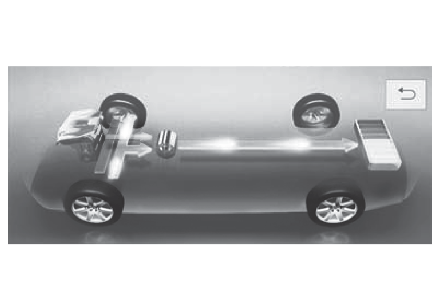
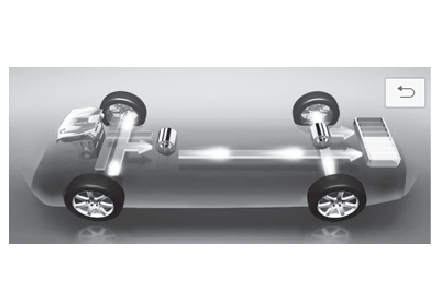
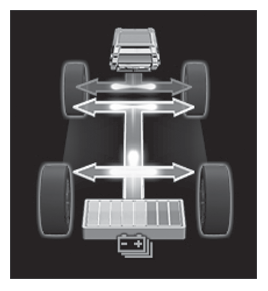
When the vehicle is powered by both the gasoline engine and the electric motor (traction
motor) (Example: 8-inch display)
2WD/AWD models
AWD models only
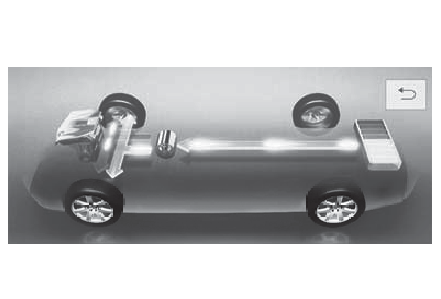
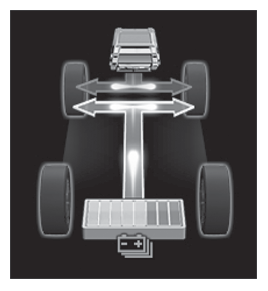
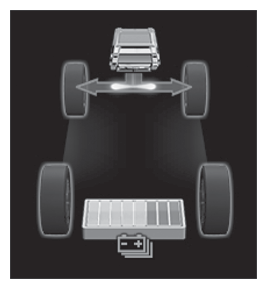
When the vehicle is powered by the gasoline engine (Example: 8-inch display)
2WD/AWD models
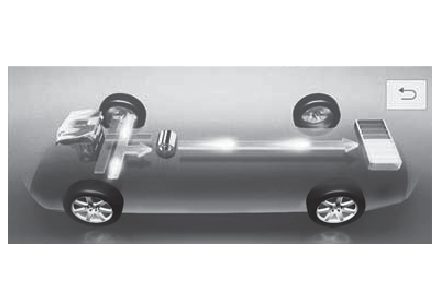
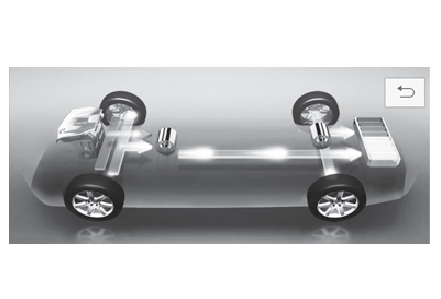
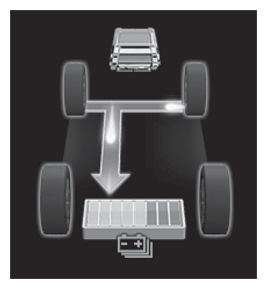
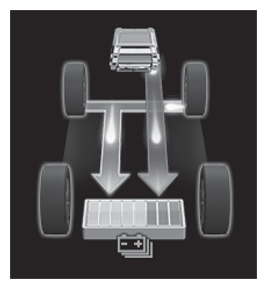
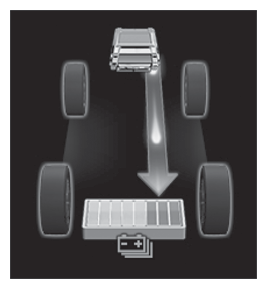
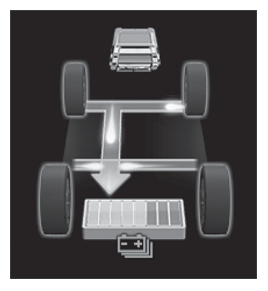
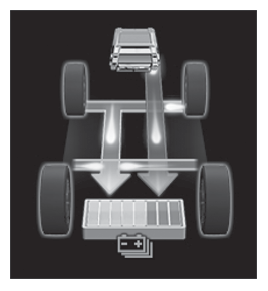
When the vehicle is charging the hybrid battery (traction battery) (Example: 8-inch
display)
2WD/AWD models
AWD models only
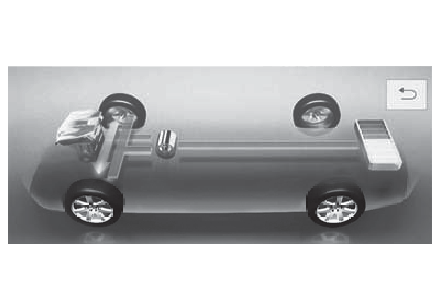
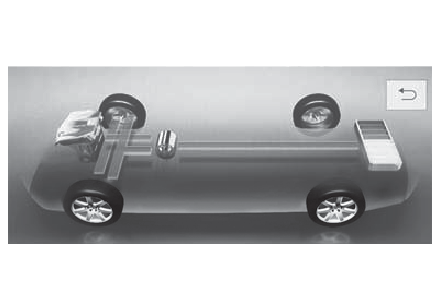
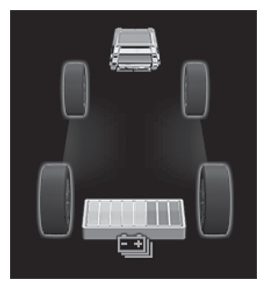
When there is no energy flow (Example: 8-inch display)
2WD/AWD models
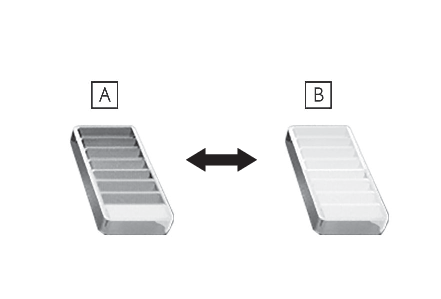
These images are examples only, and may vary slightly from actual conditions.Hybrid battery (traction battery) status (Example: 8-inch display)LowHighThese images are examples only, and may vary slightly from actual conditions.Multi-information display4.2-inch displayPress
or
of the meter control switch to select
.Press
or
of the meter control switch to select the energy monitor display.7-inch displayPress
or
of the meter control switch to select
.Press
or
of the meter control switch to select the energy monitor display.
When the vehicle is powered by the electric motor (traction motor) (Example: 7-inch
display)
2WD/AWD models
AWD models only
When the vehicle is powered by both the gasoline engine and the electric motor (traction
motor) (Example: 7-inch display)
2WD/AWD models
AWD models only
When the vehicle is powered by the gasoline engine (Example: 7-inch display)
2WD/AWD models
When the vehicle is charging the hybrid battery (traction battery) (Example: 7-inch
display)
2WD/AWD models
AWD models only
When there is no energy flow (Example: 7-inch display)
2WD/AWD models
These images are examples only, and may vary slightly from actual conditions.Hybrid battery (traction battery) status (Example: 7-inch display)LowHighThese images are examples only, and may vary slightly from actual conditions.ConsumptionTrip informationAudio or Audio Plus (vehicles without Data Communication Module)Press the “
MENU” button.Select “
Info” on the “
Menu” screen.If a screen other than “
Trip Information” is displayed, select “
Trip Information”.Audio Plus (vehicles with Data Communication Module) or Premium AudioPress the “
MENU” button.Select “
Info” on the “
Menu” screen.Select “
ECO” on the “
Information” screen.If a screen other than “
Trip Information” is displayed, select “
Trip Information”.12.3-inch displaySelect
Toyota multi-operation touch (Toyota multi-operation touch overview).Select “
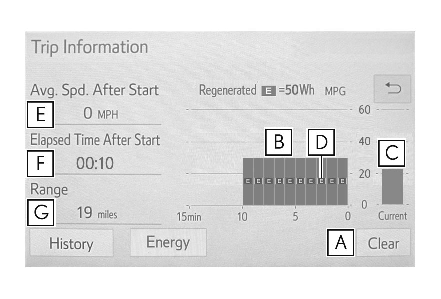
TripInfo.”.The screen position can also be changed by select a desired information in full screen.Resetting the consumption dataFuel consumption in the past 15 minutesCurrent fuel consumptionRegenerated energy in the past 15 minutesOne symbol indicates 50 Wh. Up to 5 symbols are shown.Average vehicle speed since the hybrid system was started.Elapsed time since the hybrid system was started.Cruising rangeThe average fuel consumption history is divided by color into past averages and the
average fuel consumption since the last updated. Use the displayed average fuel consumption
as a reference.The image is an example only, and may vary slightly from actual conditions.HistoryAudio or Audio Plus (vehicles without Data Communication Module)Press the “
MENU” button.Select “
Info” on the “
Menu” screen.If a screen other than “
History” is displayed, select “
History”.Audio Plus (vehicles with Data Communication Module) or Premium AudioPress the “
MENU” button.Select “
Info” on the “
Menu” screen.Select “
ECO” on the “
Information” screen.If a screen other than “
History” is displayed, select “
History”.12.3-inch displaySelect
Toyota multi-operation touch (Toyota multi-operation touch overview).Select “
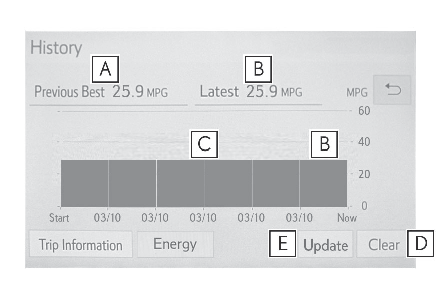
History”.The screen position can also be changed by select a desired information in full screen.Best recorded fuel consumptionLatest fuel consumptionPrevious fuel consumption recordResetting the history dataUpdating the latest fuel consumption dataThe average fuel consumption history is divided by color into past averages and the
average fuel consumption since the last updated. Use the displayed average fuel consumption
as a reference.The image is an example only, and may vary slightly from actual conditions.Note:Updating the history dataUpdate the latest fuel consumption by selecting “
Update” to measure the current fuel consumption again.Resetting the dataThe fuel consumption data can be deleted by selecting “
Clear”.Cruising rangeDisplays the estimated maximum distance that can be driven with the quantity of fuel
remaining.This distance is computed based on your average fuel consumption. As a result, the
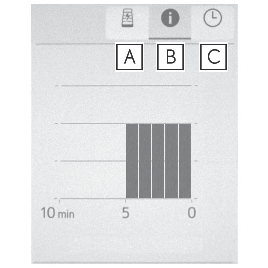
actual distance that can be driven may differ from that displayed.Using the Toyota multi-operation touch (vehicles with a 12.3-inch display) Display the vehicle information on the Toyota multi-operation touch (Toyota multi-operation touch*), and then select the button to display the desired screen. The image is an example
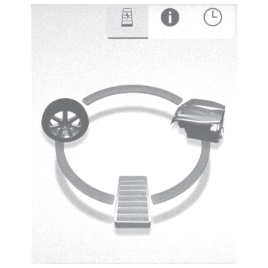
only, and may vary slightly from actual conditions.Energy monitorTrip informationHistoryEnergy monitorDisplays the hybrid system operation and energy recovery states.Displayed content is the same as that displayed on the multi-information display.
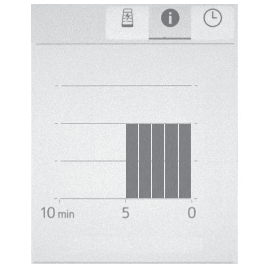
(Multi-information display (4.2-inch display) - Driving information display, Multi-information display (7-inch display) - Driving information display)Trip informationDisplays the average fuel consumption and regenerated energy for the past 10 minutes
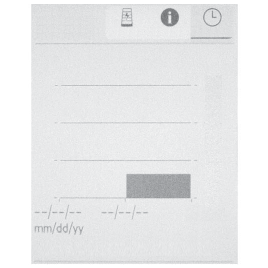
in 1 minute intervals, as well as the cruising range.Use the displayed average fuel consumption as a reference.HistoryDisplays the average fuel consumption and highest fuel consumption.Use the displayed average fuel consumption as a reference.