Parking assist sensors (intuitive parking assist)Intuitive parking assist
FunctionIntuitive parking assistIntuitive parking assist**If equippedThe distance from your vehicle to objects, such as a wall, when parallel parking or
maneuvering into a garage is measured by the sensors and communicated via the multi-information
display, head-up display (if equipped), audio system screen and a buzzer. Always check
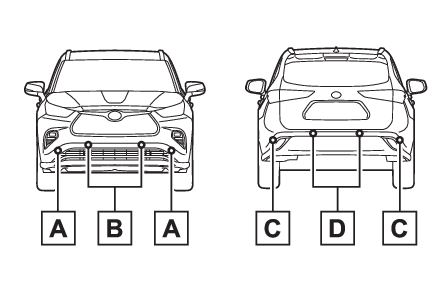
the surrounding area when using this system.System componentsSensor
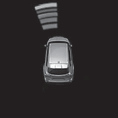
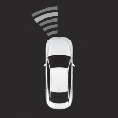
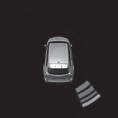
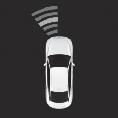
Intuitive parking assistTypes of sensorsFront corner sensorsFront center sensorsRear corner sensorsRear center sensorsDisplay
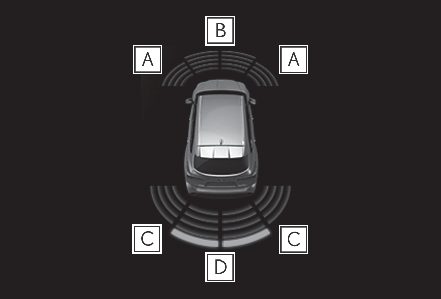
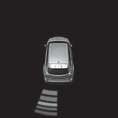
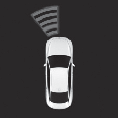
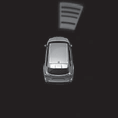
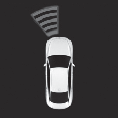
Intuitive parking assistDisplayWhen the sensors detect an object, such as a wall, a graphic is shown on the multi-information
display, head-up display (if equipped) and audio system screen depending on the position
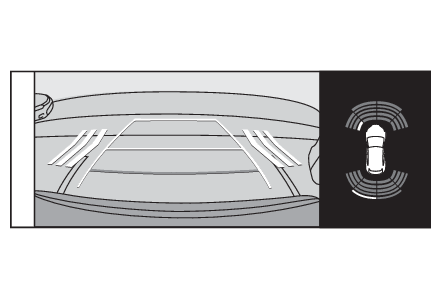
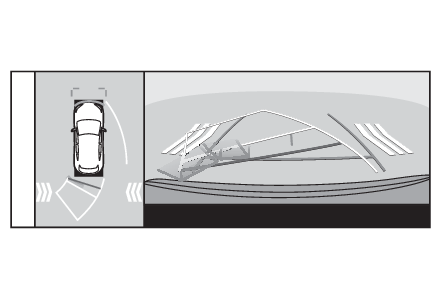
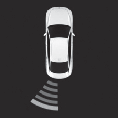
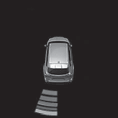
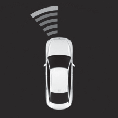
and distance to the object.Multi-information display and head-up displayFront corner sensor detectionFront center sensor detectionRear corner sensor detectionRear center sensor detectionAudio system screen (vehicles with a Toyota parking assist monitor)When the R shift lever is selected, a simplified image is displayed on the audio system
screen.Audio system screen (vehicles with a Panoramic view monitor)A graphic will be displayed on the audio system screen.Switches
Intuitive parking assist switchTurning intuitive parking assist on/offUse the meter control switches to enable/disable the intuitive parking assist. (Multi-information display (7-inch display) - Settings display, Multi-information display (12.3-inch display) - Settings display)7-inch displaySelect
of the multi-information display.Press
or
to select
and then press
.12.3-inch displaySelect
of the multi-information display and then press
.Press
or
to select
and then press
.When the intuitive parking assist function is disabled, the intuitive parking assist
OFF indicator (Indicators) illuminates.To re-enable the system, select
on the multi-information display, select
and turn it on. If the system is disabled, it will remain off even if the engine
switch is turned to ON after the engine switch has been turned off.Warning:Cautions regarding the use of the systemThere is a limit to the degree of recognition accuracy and control performance that
this system can provide, do not overly rely on this system. The driver is always responsible
for paying attention to the vehicle’ surroundings and driving safely.To ensure the system can operate properlyObserve the following precautions. Failing to do so may result in the vehicle being
unable to be driven safely and possibly cause an accident.Do not damage the sensors, and always keep them clean.Do not attach a sticker or install an electronic component, such as a backlit license
plate (especially fluorescent type), fog lights, fender pole or wireless antenna near
a radar sensor.Do not subject the surrounding area of the sensor to a strong impact. If subjected
to an impact, have the vehicle inspected by your Toyota dealer. If the front or rear
bumper needs to be removed/installed or replaced, contact your Toyota dealer.Do not modify, disassemble or paint the sensors.Do not attach a license plate cover.Keep your tires properly inflated.When to disable the functionIn the following situations, disable the function as it may operate even though there
is no possibility of a collision.Failing to observe the warnings above.A non-genuine Toyota suspension (lowered suspension, etc.) is installed.Notes when washing the vehicleDo not apply intensive bursts of water or steam to the sensor area.Doing so may result in the sensor malfunctioning.When using a high pressure washer to wash the vehicle, do not spray the sensors directly,
as doing so may cause a sensor to malfunction.When using steam to clean the vehicle, do not direct steam too close to the sensors
as doing so may cause a sensor to malfunction.Note:The system can be operated whenThe engine switch is in ON.Intuitive parking assist function is on.The vehicle speed is less than about 6 mph (10 km/h).A shift lever other than P.Intuitive parking assist
Warning messageIf “Parking Assist Unavailable” is displayed on the multi-information displayWater may be continuously flowing over the sensor surface, such as in a heavy rain.
When the system determines that it is normal, the system will return to normal.Initialization may not have been performed after a battery terminal was disconnected
and reconnected. Initialize the system. (If a battery terminal has been disconnected and reconnected) If this message continues to be displayed even after initialization, have the vehicle
inspected by your Toyota dealer.Intuitive parking assist
Warning messageIf “Parking Assist Unavailable Clean Parking Assist Sensor” is displayed on the multi-information
displayA sensor may be covered with ice, snow, dirt, etc. Remove the ice, snow, dirt, etc.,
from the sensor to return the system to normal.Also, due to ice forming on a sensor at low temperatures, a warning message may be
displayed or the sensor may not be able to detect an object. Once the ice melts, the
system will return to normal.If a battery terminal has been disconnected and reconnectedThe system needs to be initialized. To initialize the system, drive the vehicle straight
ahead for 5 seconds or more at a speed of approximately 22 mph (35 km/h) or more.Sensor detection informationThe following situations may occur during use.The sensor's detection areas are limited to the areas around the vehicle front and
rear bumpers. Depending on the shape of the object and other factors, the detection distance may
shorten, or detection may be impossible.If an object is extremely close to a sensor, it may not be detected.There will be a short delay between object detection and display. Even at low speeds,
there is a possibility that the object will come within the sensor’s detection areas
before the display is shown and the warning beep sounds.It might be difficult to hear the buzzer due to the volume of the audio system or
air flow noise of the air conditioning system.It may be difficult to hear the buzzer if buzzers for other systems are sounding.Objects which the system may not be properly detectedThe shape of the object may prevent the sensor from detecting it. Pay particular attention
to the following objects:Wires, fences, ropes, etc.Cotton, snow and other materials that absorb sound wavesSharply-angled objectsLow objectsTall objects with upper sections projecting outwards in the direction of your vehiclePeople may not be detected if they are wearing certain types of clothing.Situations in which the system may not operate properlyCertain vehicle conditions and the surrounding environment may affect the ability
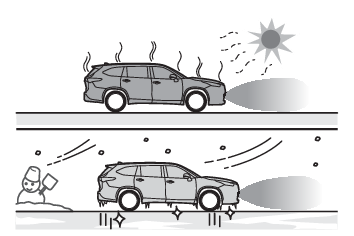
of a sensor to correctly detect objects. Particular instances where this may occur
are listed below.There is dirt, snow, water drops or ice on a sensor. (Cleaning the sensors will resolve
this problem.)A sensor is frozen. (Thawing the area will resolve this problem.) In especially cold
weather, if a sensor is frozen the sensor display may be displayed abnormally, or
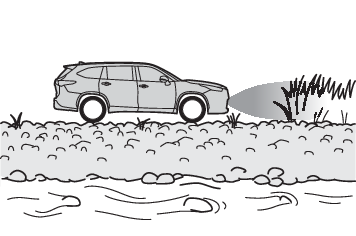
objects, such as a wall, may not be detected.When a sensor or the area around a sensor is extremely hot or cold.On an extremely bumpy road, on an incline, on gravel, or on grass.When vehicle horns, vehicle detectors, motorcycle engines, air brakes of large vehicles,
the clearance sonar of other vehicles or other devices which produce ultrasonic waves
are near the vehicle.A sensor is coated with a sheet of spray or heavy rain.If objects draw too close to the sensor.When a pedestrian is wearing clothing that does not reflect ultrasonic waves (ex.
skirts with gathers or frills).When objects that are not perpendicular to the ground, not perpendicular to the vehicle
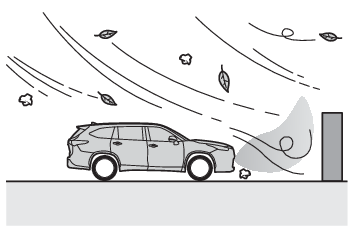
traveling direction, uneven, or waving are in the detection range.Strong wind is blowing.When driving in inclement weather such as fog, snow or a sandstorm.When an object that cannot be detected is between the vehicle and a detected object.If an object such as a vehicle, motorcycle, bicycle or pedestrian cuts in front of
the vehicle or runs out from the side of the vehicle.If the orientation of a sensor has been changed due to a collision or other impact.When equipment that may obstruct a sensor is installed, such as a towing eyelet, bumper
protector (an additional trim strip, etc.), bicycle carrier, or snow plow.If the front of the vehicle is raised or lowered due to the carried load.If the vehicle cannot be driven in a stable manner, such as when the vehicle has been
in an accident or is malfunctioning.When a tire chains, compact spare tire or an emergency tire puncture repair kit is
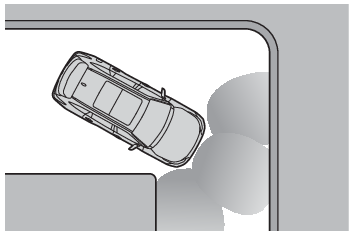
used.Situations in which the system may operate even if there is no possibility of a collisionIn some situations, such as the following, the system may operate even though there
is no possibility of a collision.When driving on a narrow road.When driving toward a banner, flag, low-hanging branch or boom barrier (such as those
used at railroad crossings, toll gates and parking lots).When there is a rut or hole in the surface of the road.When driving on a metal cover (grating), such as those used for drainage ditches.When driving up or down a steep slope.If a sensor is hit by a large amount of water, such as when driving on a flooded road.There is dirt, snow, water drops or ice on a sensor. (Cleaning the sensors will resolve
this problem.)A sensor is coated with a sheet of spray or heavy rain.When driving in inclement weather such as fog, snow or a sandstorm.When strong winds are blowing.When vehicle horns, vehicle detectors, motorcycle engines, air brakes of large vehicles,
the clearance sonar of other vehicles or other devices which produce ultrasonic waves
are near the vehicle.If the front of the vehicle is raised or lowered due to the carried load.If the orientation of a sensor has been changed due to a collision or other impact.The vehicle is approaching a tall or curved curb.Driving close to columns (H-shaped steel beams, etc.) in multi-story parking garages,
construction sites, etc.If the vehicle cannot be driven in a stable manner, such as when the vehicle has been
in an accident or is malfunctioning.On an extremely bumpy road, on an incline, on gravel, or on grass.When a tire chains, compact spare tire or an emergency tire puncture repair kit is
used.Warning buzzers
Intuitive parking assistSetting the buzzer volumeAdjusting the buzzer volumeThe buzzer volume can be adjusted on the multi-information display.Use the meter control switches to change settings. (Multi-information display (7-inch display) - Settings display, Multi-information display (12.3-inch display) - Settings display)7-inch displaySelect
of the multi-information display.Press
or
to select
and then press and hold
.Select the volume and then press
.Each time the switch is pressed, the volume level will change between 1, 2, and 3.12.3-inch displaySelect
of the multi-information display and then press
.Press
or
to select
and then press and hold
.Select the volume and then press
.Each time the switch is pressed, the volume level will change between 1, 2, and 3.Muting a buzzer temporarilyA mute button will be displayed on the multi-information display when an object is
detected. To mute the buzzer, press
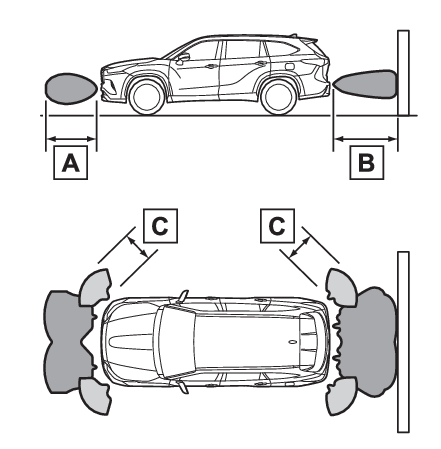
. Mute will be canceled automatically in the following situations:When the shift lever is changed.When the vehicle speed exceeds a certain speed.When there is malfunction in a sensor or the system is temporarily unavailable.When the operating function is disabled manually.When the engine switch is turned off.Sensor detection display, object distanceDetection range of the sensorsApproximately 3.3 ft. (100 cm)Approximately 4.9 ft. (150 cm)Approximately 2.0 ft. (60 cm)The diagram shows the detection range of the sensors. Note that the sensors cannot
detect objects that are extremely close to the vehicle.The range of the sensors may change depending on the shape of the object, etc.Multi-information display, head-up display (if equipped) and audio system screenWhen an object is detected by a sensor, the approximate distance to the object will
be displayed on the multi-information display, audio system screen, and head-up display
(if equipped). (As the distance to the object becomes short, the distance segments
may blink.) Approximate distance to object: 4.9 ft. (150 cm) to 2.0 ft. (60 cm)* (Rear center sensor)
Multi-information display
Audio system screen
Head-up display
*Automatic buzzer mute function is enabled. (Buzzer operation and distance to an object)Approximate distance to object: 3.3 ft. (100 cm) to 2.0 ft. (60 cm)* (Front center sensor)
*1Automatic buzzer mute function is disabled. (Buzzer operation and distance to an object)*2The distance segments will blink slowly.Approximate distance to object: Less than 0.5 ft. (15 cm)*1
Multi-information display*2
Audio system screen*2
Head-up display
*1Automatic buzzer mute function is disabled. (Buzzer operation and distance to an object)*2The distance segments will blink rapidly.Warning buzzers
Intuitive parking assistBuzzer operation and distance to an objectA buzzer sounds when the sensors are operating.The buzzer beeps faster as the vehicle approaches an object. When the vehicle comes
within approximately 1.0 ft. (30 cm) of the object, the buzzer sounds continuously.When 2 or more objects are detected simultaneously, the buzzer sounds for the nearest
object. If one or more objects come within approximately 1.0 ft. (30 cm) of the vehicle,
the buzzer will repeat a long tone, followed by fast beeps.Automatic buzzer mute function: After a buzzer begins sounding, if the distance between
the vehicle and the detected object does not become shorter, the buzzer will be muted
automatically. (However, if the distance between the vehicle and object is 1.0 ft.
(30 cm) or less, this function will not operate.)The buzzer sounds volume can be adjusted. (Setting the buzzer volume)