Cruise control
Cruise controlCruise control**If equippedUse the cruise control to maintain a set speed without depressing the accelerator
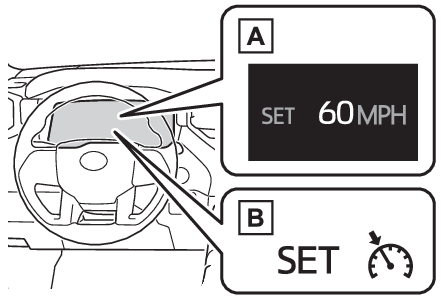
pedal.System ComponentsMulti-information display
Cruise controlDisplay
Cruise controlMeter displaySet speedIndicatorsSwitches
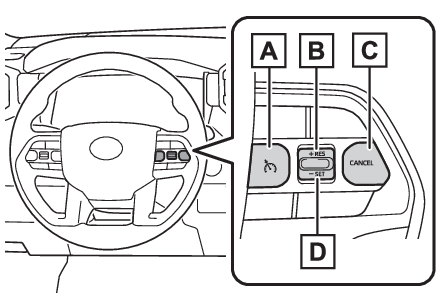
Cruise control switchOperation switchesCruise control main switch“
+RES” switchCancel switch“
-SET” switchWarning:To avoid operating the cruise control by mistakeSwitch the cruise control off using the cruise control main switch when not in use.Situations unsuitable for cruise controlDo not use cruise control in any of the following situations.Doing so may result in
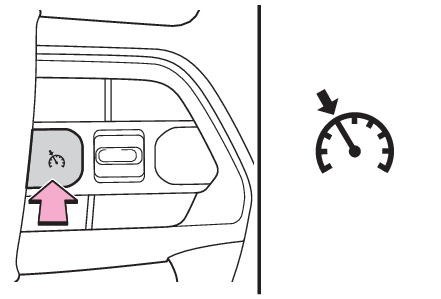
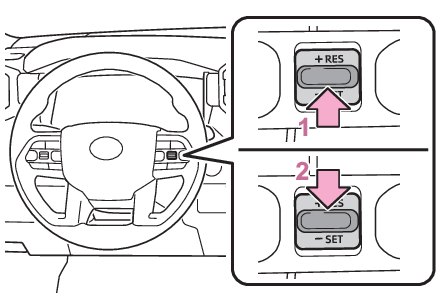
loss of control and could cause an accident resulting in death or serious injury.In heavy trafficOn roads with sharp bendsOn winding roadsOn slippery roads, such as those covered with rain, ice or snowOn steep hillsVehicle speed may exceed the set speed when driving down a steep hill.When your vehicle is towing a trailer or during emergency towingSetting the vehicle speedPress the cruise control main switch to activate the cruise control.Cruise control indicator will be displayed.Press the switch again to deactivate the
cruise control.Accelerate or decelerate, with accelerator pedal operation, to the desired speed (at
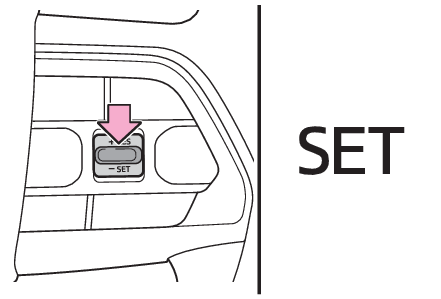
or above approximately 20 mph [30 km/h]) and press the “
-SET” switch to set the speed.Cruise control “
SET” indicator will be displayed.The vehicle speed at the moment the switch is released
becomes the set speed.Adjusting the set speedTo change the set speed, operate the “
+RES” or “
-SET” switch until the desired set speed is obtained.Increases the speedDecreases the speedFine adjustment: Press the switch.Large adjustment: Press and hold the switch to change the speed, and release when
the desired speed is reached.The set speed will be increased or decreased as follows:Fine adjustment: By 1 mph (1.6 km/h)*1 or 1 km/h (0.6 mph)*2 each time the switch is operated.Large adjustment: The set speed can be increased or decreased continually until the
switch is released.*1When the set speed is shown in “
MPH”*2When the set speed is shown in “
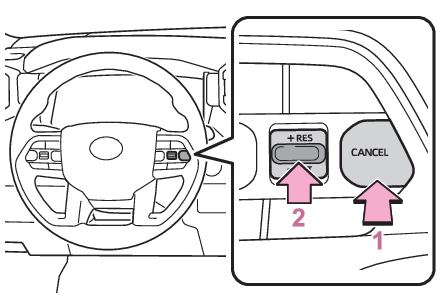
km/h”Canceling and resuming the constant speed controlPressing the cancel switch cancels the constant speed control.The speed setting is also canceled when the brakes are applied.Pressing the “
+RES” switch resumes the constant speed control.Resuming is available when the vehicle speed is more than approximately 20 mph (30
km/h).Note:Cruise control can be set whenThe shift lever is in D.Vehicle speed is above approximately 20 mph (30 km/h).Accelerating after setting the vehicle speedThe vehicle can be accelerated normally. After acceleration, the set speed resumes.Even without canceling the cruise control, the set speed can be increased by first
accelerating the vehicle to the desired speed and then pushing the “
-SET” switch to set the new speed.Automatic cancelation of cruise controlCruise control will stop maintaining the vehicle speed in any of the following situations.Actual vehicle speed falls more than approximately 10 mph (16 km/h) below the preset
vehicle speed.Actual vehicle speed is below approximately 20 mph (30 km/h).VSC is activated.TRAC is activated for a period of time.When the VSC or TRAC system is turned off.Cruise control
Warning messageIf the warning message for the cruise control is shown on the multi-information displayPress the cruise control main switch once to deactivate the system, and then press
the switch again to reactivate the system.If the cruise control speed cannot be set
or if the cruise control cancels immediately after being activated, there may be a
malfunction in the cruise control system. Have the vehicle inspected by your Toyota
dealer.